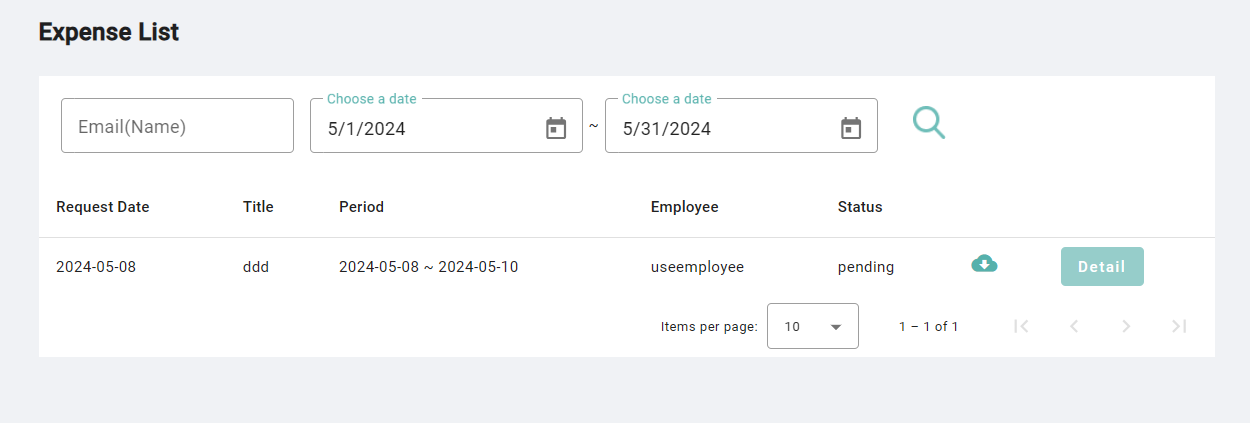
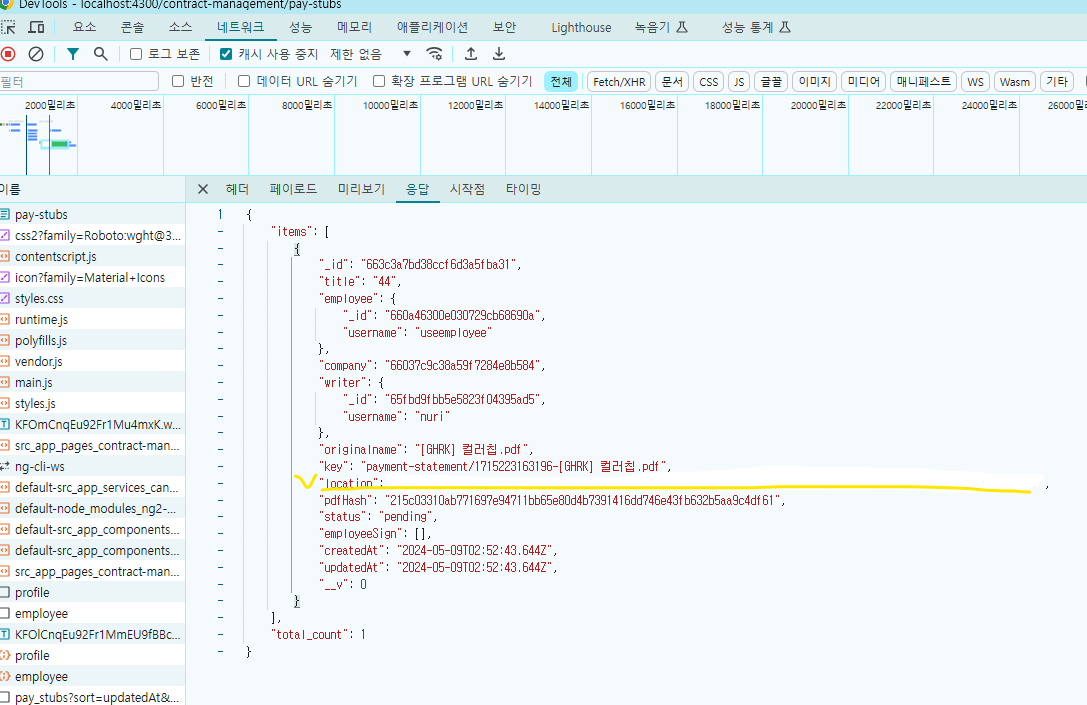
'location'에 담겨있는 s3 주소가 노출 되면 공격 받을 위험이 있다.
href로 해서 s3 주소로 직접 다운받게되면 html에 s3 주소가 노출돼서 s3로 공격받을 수 있기 때문이다.
pdf 이미지 가져오는 코드들 중 s3 주소로 가져오는 코드들을 전부 수정해야 한다.
방지책
1. 목록에 location 안보이게 제거 (1번 식을 2번 식으로 수정)
const expense = await dbModels.Expense.find(expenseQuery)
            .sort(sortOption)
            .skip((page - 1) * pageSize)
            .limit(pageSize);
        const expense = await dbModels.Expense.find(expenseQuery, { location: 0 })
            .sort(sortOption)
            .skip((page - 1) * pageSize)
            .limit(pageSize);
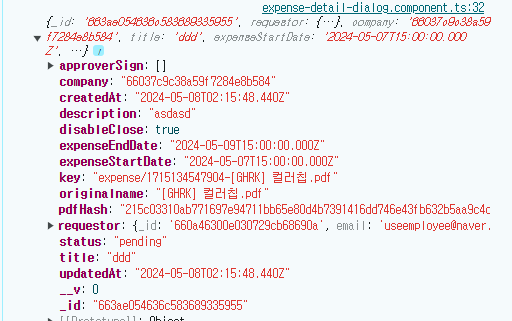
이제 location 안 불러옴
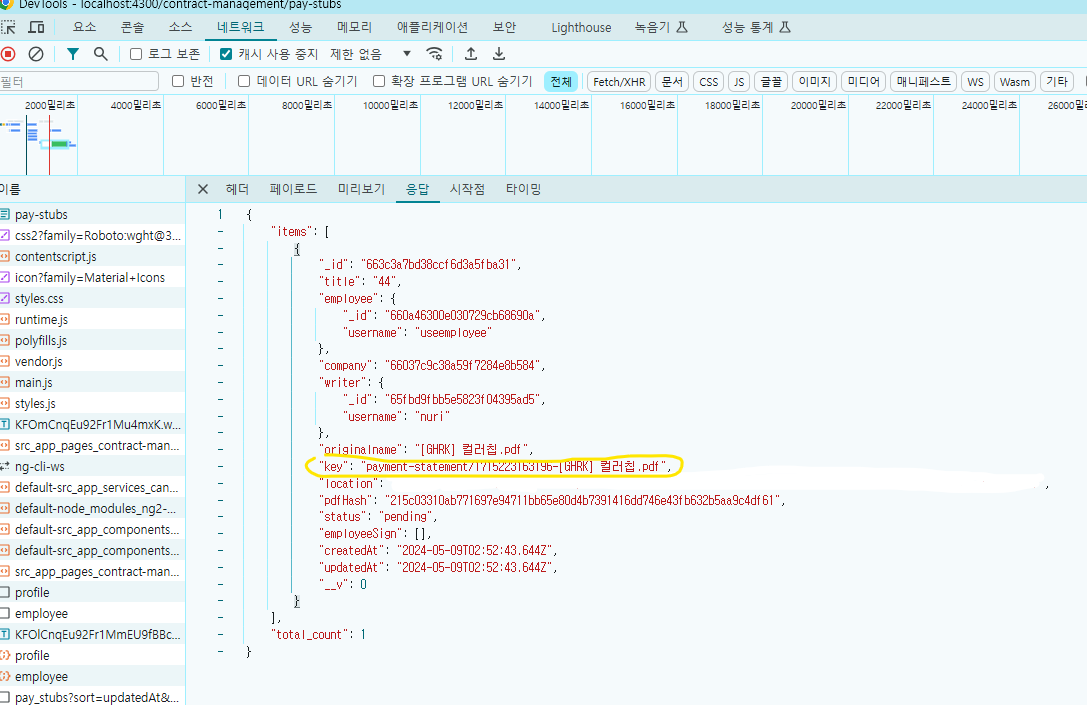
2. Detail 버튼 클릭 컴포넌트가 생성될때 서버에 요청 ("key" 값으로 요청)
  constructor(
    public dialogRef: MatDialogRef<ExpenseDetailDialogComponent>,
    private expenseService: ExpenseService,
    private pdfService: PdfService, // public dialogRef:
    @Inject(MAT_DIALOG_DATA) public data: any // 컴포넌트로 가져온 데이터
  ) {
    console.log(this.data);
    this.getPdf(this.data.key); //키값으로 서버에 요청
  }

  // 서버로 pdf 요청하고 가져오기
    getPdf(url: string) {
    console.log(url);
    const CMAP_URL = environment.cmapURL; // --> 나중에 서버로 이동할지 check.
    const CMAP_PACKED = true;

    this.expenseService.getPdf(url).subscribe({
      next: async (res: ArrayBuffer) => {
        console.log(res);
        this.isLoadingResults = false;
        this.pdfSrc = res;
      },
      error: (error: any) => {
        this.isLoadingResults = false;
        this.dialogService.openDialogNegative(error.statusText);
      },
    });
  }
<pdf-viewer [src]="pdfSrc" [rotation]="0" [original-size]="false" [show-all]="true" [fit-to-page]="false"
    [zoom]="0.9" [zoom-scale]="'page-width'" [stick-to-page]="false" [render-text]="true"
    [external-link-target]="'blank'" [autoresize]="true" [show-borders]="false"
    style="width: 100%; height: 50vh;" class="pdf-viewer">
</pdf-viewer>
[src]="pdfSrc"
key 값과 env파일의 AWS_BUCKET 값을 조합해서 s3의 pdf를 받아온다

3. 서버는 get요청을 받을 시 s3에 다운로드 요청 후 blob 형식으로 s3로 데이터를 받아와 다운로드 기능
"Blob"이란?
"Blob"은 "Binary Large Object"의 약자로, 주로 데이터베이스에서 사용되는 용어입니다. Blob은 바이너리 데이터를 저장하는 데이터 타입을 나타냅니다. 예를 들어, 이미지, 비디오, 오디오 등의 다양한 유형의 이진 데이터를 저장할 수 있습니다. 데이터베이스 시스템에서는 Blob을 사용하여 이러한 유형의 데이터를 효율적으로 저장하고 관리할 수 있습니다.
html
      <ng-container matColumnDef="download">
        <th mat-header-cell *matHeaderCellDef></th>
        <td mat-cell *matCellDef="let element">
          <mat-icon (click)="$event.stopPropagation()" (click)="downloadFile(element.key)">cloud_download</mat-icon>
        </td>
      </ng-container>
typeScript
	constructor(
    private expenseService: ExpenseService
  ) {}

  // Pay 파일 다운로드
  downloadFile(key: string) {
    console.log(key);
    this.expenseService.downloadPdf(key).subscribe({
      next: (res: any) => {
        const blob = new Blob([res], { type: 'application/pdf' });
        this.pdfUrl = window.URL.createObjectURL(blob);
        window.open(this.pdfUrl);
      },
      error: (error: any) => {
        console.error(error);
        this.dialogService.openDialogNegative('Internet Server Error.');
      },
    });
  }
expense.service.ts
  // Pay 파일 다운로드
  downloadPdf(key: string): Observable<Blob> {
    const encodedUrl = encodeURIComponent(key);

    const headers = new HttpHeaders({
      'Content-Type': 'application/pdf',
      Accept: 'application/pdf',
    });
    return this.http.get(this.baseUrl + `/expense/downloadPdf/${encodedUrl}`, {
      headers: headers,
      responseType: 'blob',
    });
  }
server
// Pdf 파일 다운로드
exports.downloadPdf = async (req, res) => {
    console.log(`
--------------------------------------------------
  router.get('/expenses', expenseController.downloadPdf);
  user_id : ${req._id}
--------------------------------------------------`);
    const key = req.params.key;

    const command = new GetObjectCommand({
        Bucket: process.env.AWS_BUCKET,
        Key: key, // 업로드된 파일 경로
    });

    try {
        const response = await s3Client.send(command);
        res.attachment(key);
        response.Body.pipe(res);
    } catch (error) {
        console.error("Error:", error);
        res.status(500).json({ message: "Error fetching PDF" });
    }
};
참고한 사이트
https://stackoverflow.com/questions/64918267/ng2-pdf-viewer-does-not-display-automatic-pdf
ng2-pdf-viewer - does not display automatic pdf
I have an angular application 8 that I receive a pdf file from the API. In the angle view, I took the pdf file as a blob and converted it into a FileReader to use the byte array. I am facing the
stackoverflow.com
'Server > MongoDB' 카테고리의 다른 글
| Image upload (0) | 2024.05.21 |
|---|---|
| MongoDB populate (0) | 2024.04.18 |